
Performance Measurement With BenchmarkDotNet in C#

Search for a command to run...
No comments yet. Be the first to comment.
Deploying a .NET application to a cloud environment like DigitalOcean is a powerful way to ensure scalability, reliability, and ease of management. In this post, we’ll walk through deploying a real-world .NET application—a simple ASP.NET Core MVC app...

Building a gRPC Service in C# and ASP.NET Core – Part 2

Building a gRPC Service in C# and ASP.NET Core – Part 1
Software architecture is the backbone of any application, and a well-thought-out architecture can make the difference between a maintainable, scalable application and a fragile, difficult-to-modify one. Clean Architecture, popularized by Robert C. Ma...

In software development, as systems grow more complex, objects start interacting with each other in increasingly intricate ways. Over time, this can lead to a tightly coupled, hard-to-maintain system where modifying or extending a particular feature ...

Oftentimes, we need a way to measure how well a piece of code does, how fast it runs, how much memory it consumes, etc. All these questions fall under the umbrella of performance measurement, and in this article, we will be looking at that.
We would be using Benchmarkdotnet for measuring our performance. Benchmarkdotnet is a free tool that can be gotten from the NuGet repository.
The source code for this project is freely available here.
Let's get started!
To use benchmarkdotnet we must first install it in our project.
Create a new console project using Visual Studio, VS code, CLI, Rider, or any preferred tool of choice. I will be using Rider for our demo.
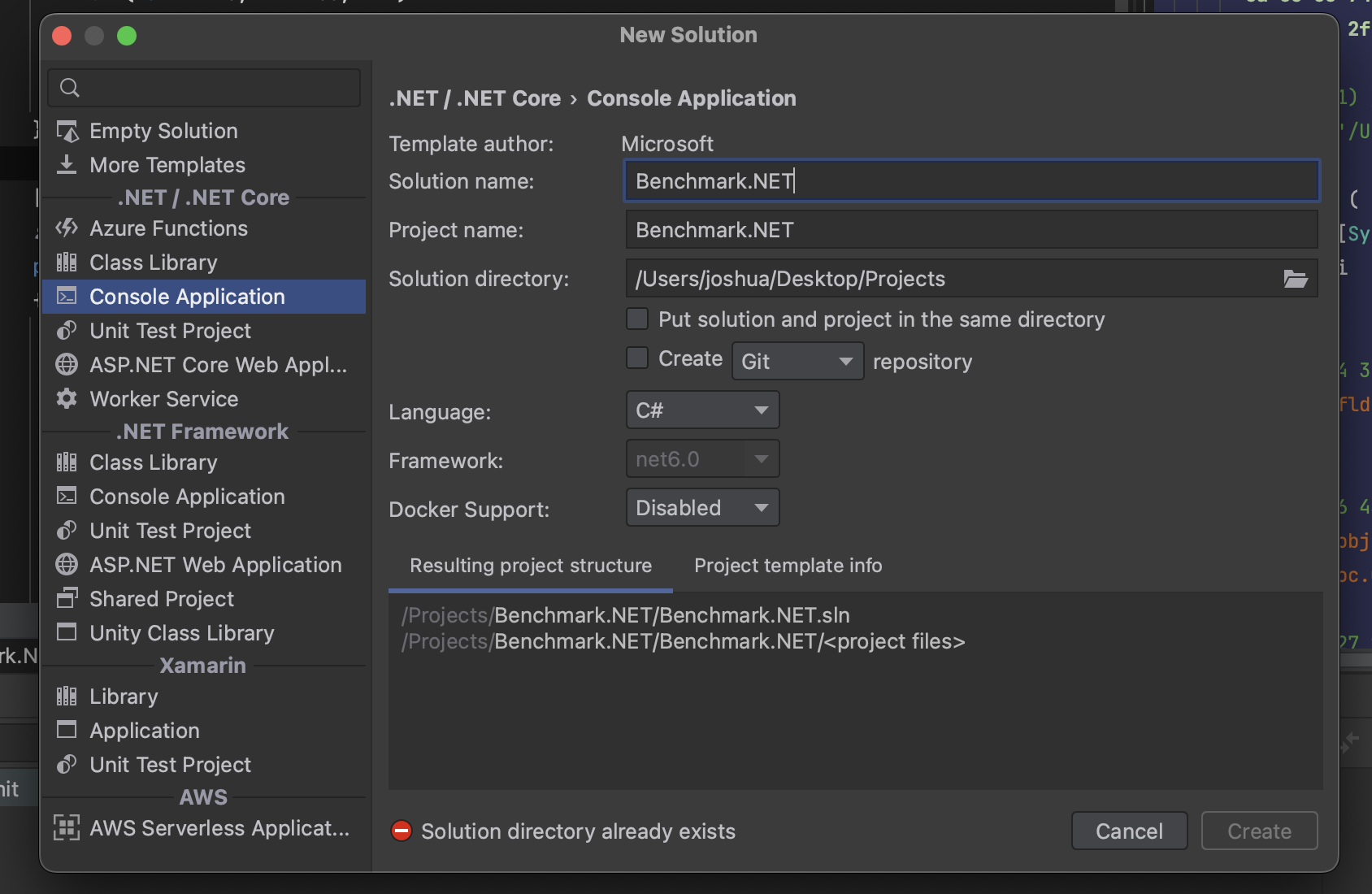
Search for Benchmarkdotnet on the NuGet repository and Install it in the newly created project.

For measuring performance, we would compare the operations of concatenating strings using the += operator versus using the StringBuilder class.
Create a class StringConcatenation class with the following methods included.
public void BuildStringsWithConcatenation()
{
    var output = String.Empty;
    for (var i = 0; i < 100; i++)
    {
        output += "test";
    }
}

public void BuildStringsWithStringBuilder()
{
    var output = String.Empty;

    var builder = new StringBuilder();
    for (var i = 0; i < 100; i++)
    {
        builder.Append("test");
    }

    output = builder.ToString();
}
Include the BenchmarkDotNet.Attributes namespace in the StringConcatenation class
using BenchmarkDotNet.Attributes;
Add the [Benchmark] attribute to each of the created methods.
Optional: You could also add the [Orderer(SummaryOrderPolicy.FastestToSlowest)] and [MemoryDiagnoser()] attributes to the class. The result is that the result set would be ordered from the fastest to the slowest, and the memory consumption of each method would also be included.
By the time you're done, the code should look like this:
using System.Text;
using BenchmarkDotNet.Attributes;
using BenchmarkDotNet.Order;

namespace BenchMark.NET;

[Orderer(SummaryOrderPolicy.FastestToSlowest)]
[MemoryDiagnoser()]
public class StringConcatenation
{
    [Benchmark]
    public void BuildStringsWithConcatenation()
    {
        var output = String.Empty;
        for (var i = 0; i < 100; i++)
        {
            output += "test";
        }
    }

    [Benchmark]
    public void BuildStringsWithStringBuilder()
    {
        var output = String.Empty;

        var builder = new StringBuilder();
        for (var i = 0; i < 100; i++)
        {
            builder.Append("test");
        }

        output = builder.ToString();
    }
}
Call BenchmarkRunner.Run
In Program.cs, add the following line of code:
using BenchMark.NET;
using BenchmarkDotNet.Running;

BenchmarkRunner.Run(typeof(StringConcatenation));
Run the project in Release mode. We are not running it in Debug mode because want our result to be as close to the production scenario as possible. On the console output, you would receive something similar to this:
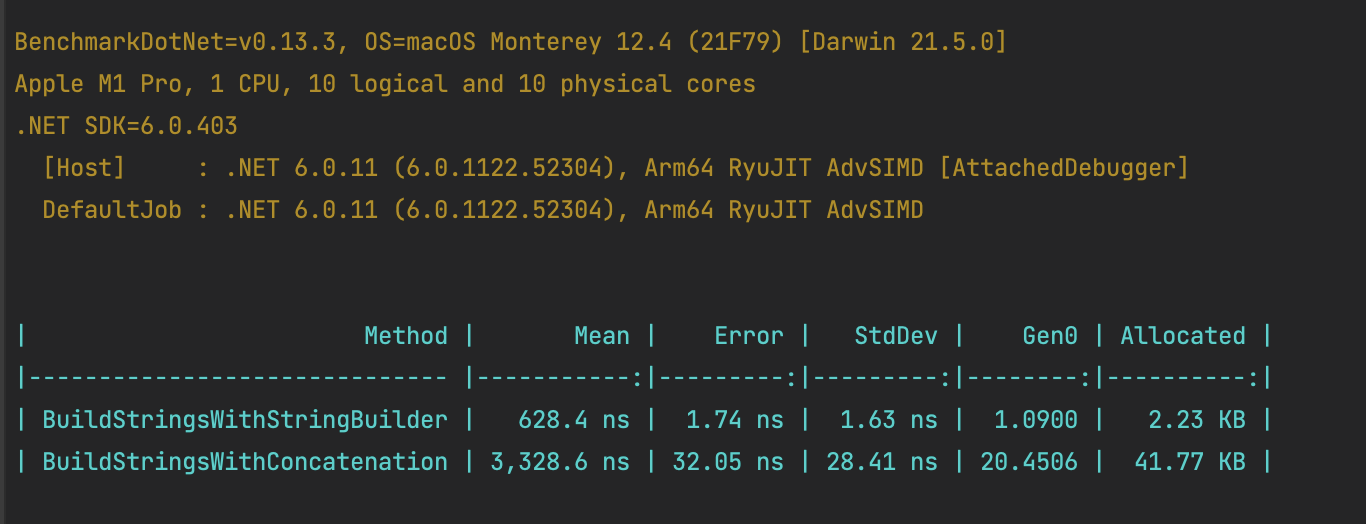
In conclusion, we see that the BuildStringsWithStringBuilder method completed at 628.4 ns and used 2.23 KB of memory, performing better than the BuildStringsWithConcatenation method, which finished at 3,328.6 ns and used 41.77 KB of memory. This is expected because the StringBuilder class presents a more effective way of building strings.